Test for Obsidian Bulk Tag Manager on version 1.4.0
Overview
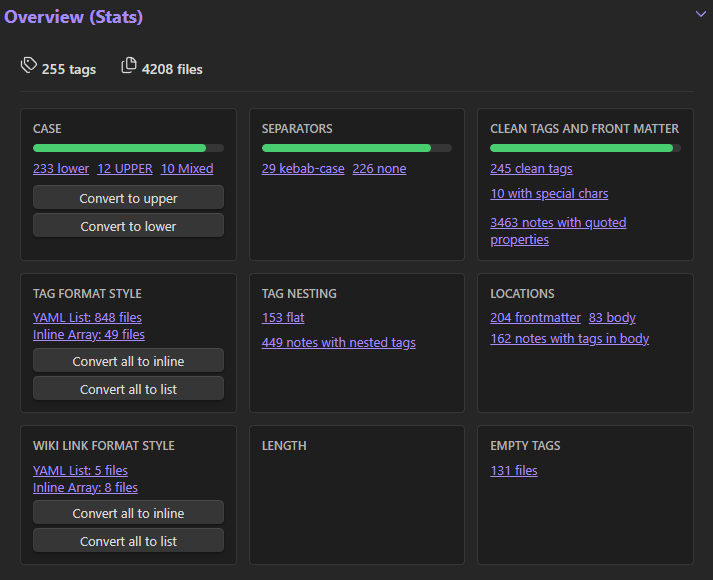
Invalid Tags (Real-time)

[!QUESTION] Any way to "view" what is deemed invalid prior to fixing? Because some "invalid" tags are expected as in this example:
tags: "{{VALUE:tags}}"[!CHECK] Answer I would suggest renaming the button to "Preview and Fix" or "View invalid" or something to indicate to the user that nothing is executed just by clicking the red button.
My personal preference for this button would be: - Label: "Manage invalid tags" - Color: Default Obsidian Purple
| Before Fix | After Fix | |
|---|---|---|
| File 1 | tags: "{{VALUE:tags}}" |
ignored |
| File 2 | tags: - food - "#food/lunch" - "#food/takeaway" - region/vietnam |
tags: - food - food/lunch - food/takeaway - region/vietnam |
| File 3 | tags: - "#🗑️" |
tags: - 🗑️ |
| File 4 | tags: - "#🗑️" - service |
tags: - 🗑️ - service |
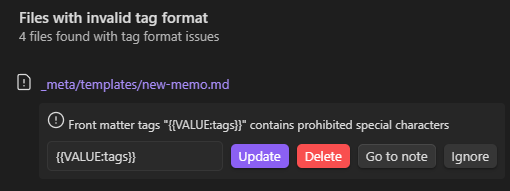
[!faq] Issue? It is not possible to use "excluded folders" or "protected tags" to safeguard templates with special tag variables.

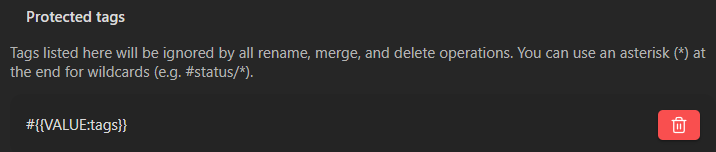
[!CHECK] Directly ignoring works. From
data.json:
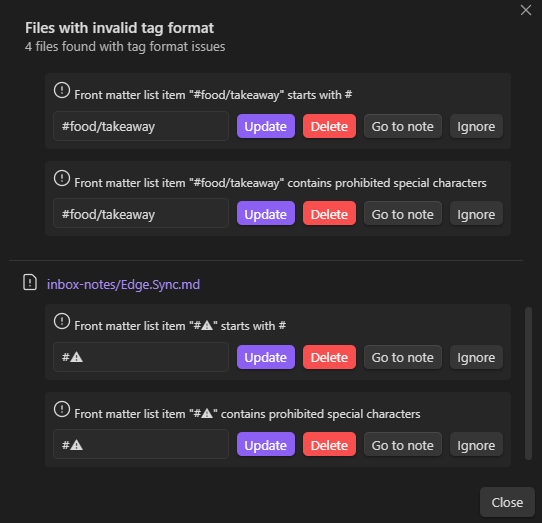
[!faq] Issue? The "starts with #" and "special chars" rule produce duplicates.
[!BUG] I tested by clicking "Update" on one of the dupes. That entry vanished. The second entry remains.
[!IMPORTANT] Update I misunderstood "Update". It does not "Autofix" the invalid char. If you just click "Update", the entry is removed from the view but nothing in the note is fixed. Not a big deal, because nothing breaks.
My suggestions: - "Update"-Button is disabled as long as the text field has not changed by the user. - Every tag must only be listed once. If one tag triggers multiple violations, they could be written together above the same text box.
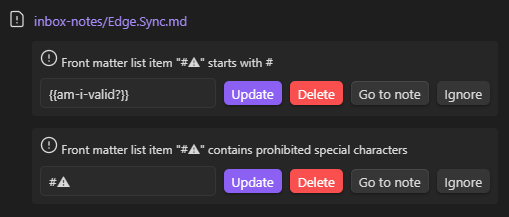
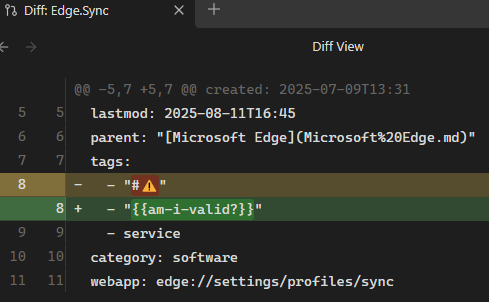

[!HINT] Enhancement It would be amazing to have the rules checked "onChange" so that the "Update"-Button stays disabled as long as the user puts something strange in. I broke it deliberately with my
{{am-i-valid?}}tag, but I am sure some users will input and save wrong new tag names without realizing that they are invalid as well.
Tag format style / wikilink format style

I don't understand the part about wiki links.
I use obsidian-linter to keep all properties of array type (=Obsidian property type "list") consistent as multi-line arrays (or YAML List, as you put it). Example from linter settings:
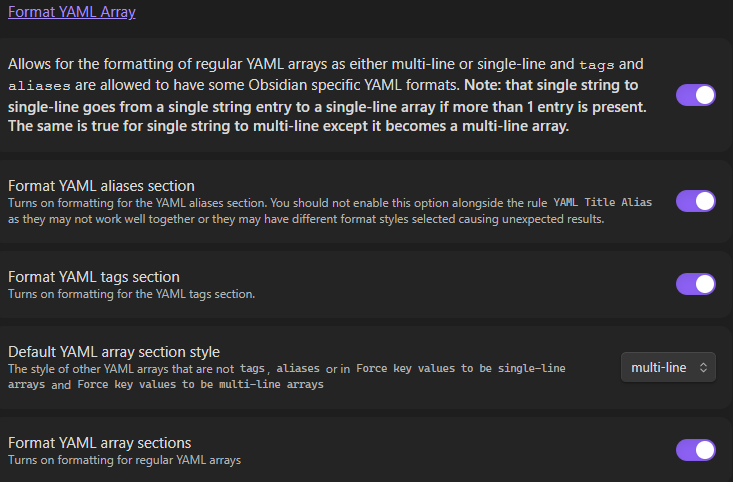
Indeed, "standardizing" the tags format makes sense for people who don't use a linter. The reason this works is because Obsidian requires (forces) the "tags" property to be a list / array.
But how do the "wiki links" from your Metadata Utilities fit in here? The decision to use inline vs multi-line arrays is only relevant for properties that have the List type:
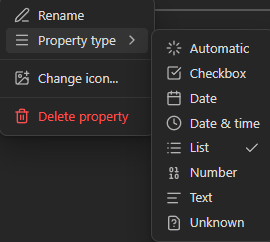
If you change the format based on if the value of the property is a wiki link, you would end up with changing text properties to list properties (thus breaking them, when they are not "Automatic", but set to "Text"). Or you would end up with mixed property fields when the same property has a wiki link on one note (thus getting "arrayed") and a text or markdown link on another note (thus staying as text).
Again, I don't know what to expect from this one so I will just leave it at that. :)
Rename tags
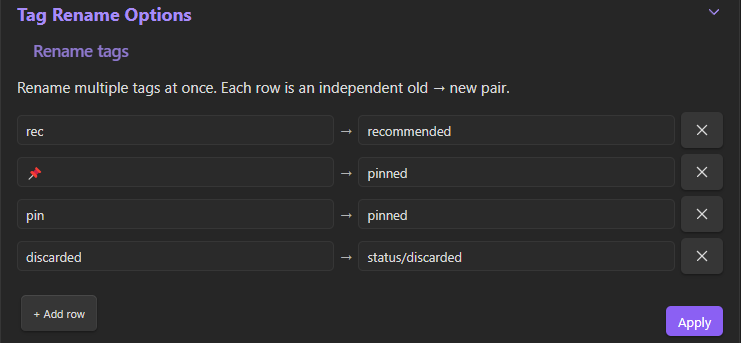
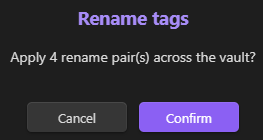
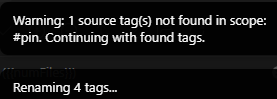


Only 4 notes changed, however, there where 87 changes:
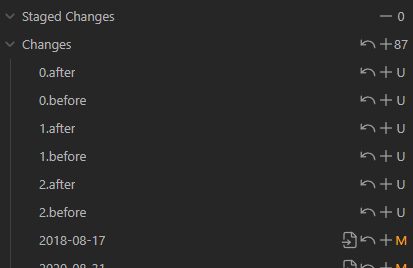
4 files + 8 history + data.json. Remaining 75 are frontmatter "cleaning" changes.
For examples, see another new tag
[!BUG] Issue It looks like "Rename Tags" triggers "Clean front matter formatting"?
The data.json contained:
  "operationHistory": [
    {
      "id": "e7b9f5d4-700c-4281-a9ca-6db05f6b28c6",
      "timestamp": 1781832504154,
      "type": "rename",
      "description": "Batch rename: 4 pairs (4 files changed)",
      "changes": [],
      "useExternalStorage": true,
      "useExternalManifest": true
    }
  ],
[!INFO] changes reverted
Merge Tags



True. The #books tag only exists in my _test folder.



Only 10 books should be changed, however, there are 103 changed files:
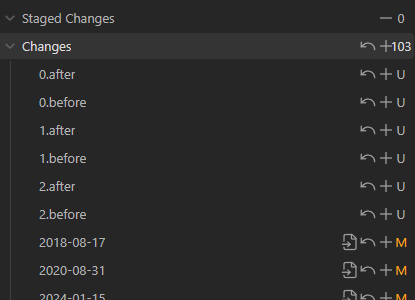
10 books + 20 history files (before + after) + data.json are expected. The rest contains frontmatter cleaning.
For examples, see another new tag
[!BUG] Issue It looks like "Merge Tags" triggers "Clean front matter formatting"?
The data.json contained:
  "operationHistory": [
    {
      "id": "efacd254-d47e-418d-834c-6926f5ca8622",
      "timestamp": 1781829000024,
      "type": "merge",
      "description": "Merge #books, #📚Book → #book",
      "changes": [],
      "useExternalStorage": true,
      "useExternalManifest": true
    }
  ],
[!INFO] changes reverted
Nest Tags
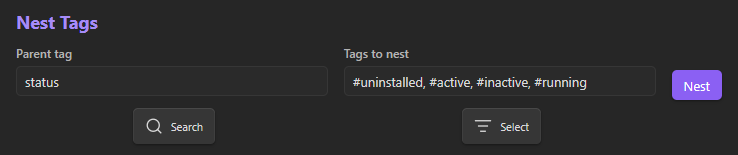
[!NOTE] The hashtag from status is indeed not visible when using "Search" to select the tag. Seems just a visual glitch.
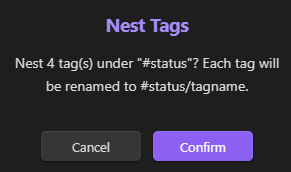



177 files changed.

34 expected + 68 history + data.json.
The rest contains frontmatter cleaning.
For examples, see another new tag
[!BUG] Issue It looks like "Nest Tags" triggers "Clean front matter formatting"?
The data.json contained:
  "operationHistory": [
    {
      "id": "7ff05ee6-4a32-4bdb-b88f-ff641498d6dc",
      "timestamp": 1781831671614,
      "type": "nest",
      "description": "Nest #uninstalled, #active, #inactive, #running → #status/...",
      "changes": [],
      "useExternalStorage": true,
      "useExternalManifest": true
    }
  ],
[!INFO] changes reverted
Delete tags
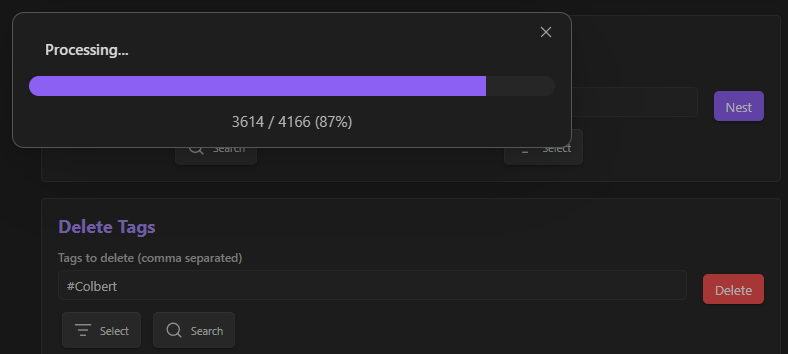
Only one file should have changed:
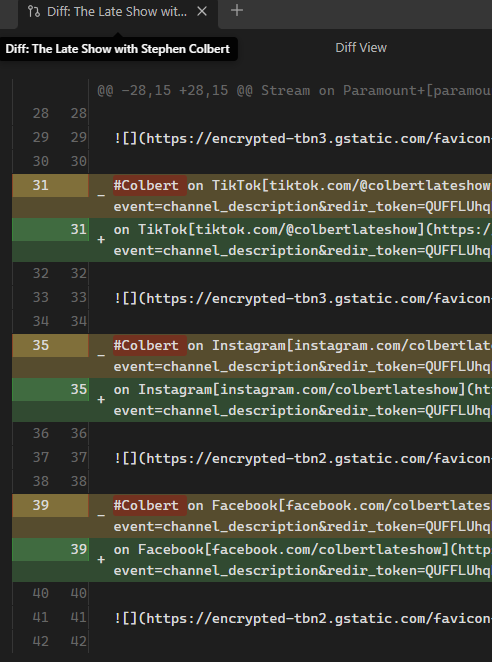
However, there where 78 changed files:
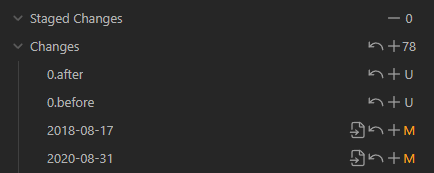
0.after and 0.before are the bulk-tag-manager history files, which is correct.
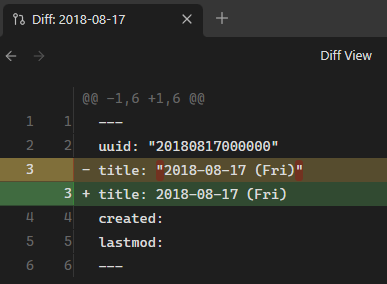
However, 75 unrelated files where changed: The reason: Quotation adjustments in the frontmatter:
Example 1:
Example 2:
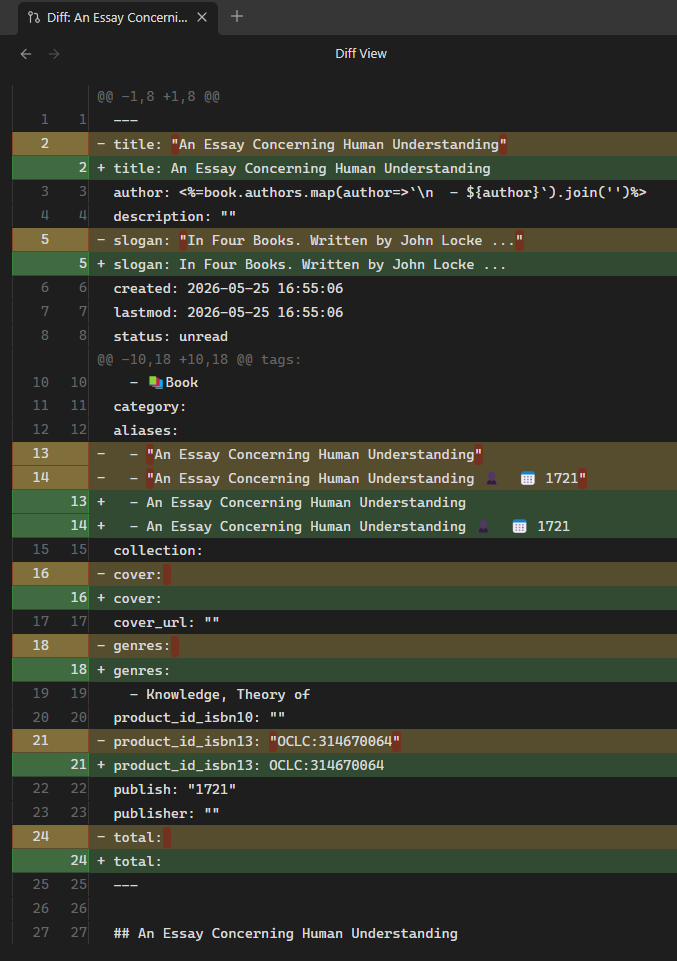
[!BUG] Issue It looks like "Delete Tags" triggers "Clean front matter formatting"?
The data.json contained:
  "operationHistory": [
    {
      "id": "abb8eb50-4e63-40e0-aef9-3ac38a55cb57",
      "timestamp": 1781827074306,
      "type": "delete",
      "description": "Deleted tags: Colbert",
      "changes": [],
      "useExternalStorage": true,
      "useExternalManifest": true
    }
  ],
[!INFO] changes reverted
Delete Tags ("untag" unintended "tags")
When looking for tags to delete, I found that rather than deleting them, I might have to escape them instead when they are inline. The reason is that in my case they are false positives, identified by Obsidian as tags while they are just random text strings that happen to begin with a hash tag:
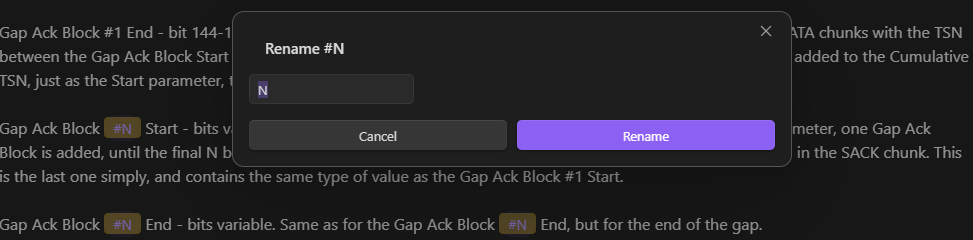
This is not a bug, just a reminder that users might break their text when they delete tags they don't recognize. In my case, I never added a #N tag but obviously the "iptables Tutorial" contains text that Obsidian interprets as tags.
For me, instead of deleting those "strange" tags, I search&replaced them into inline code.
Another more common example: Writing a note about Microsoft Excel formula errors like #VALUE or #N/A or '#REF' will create unintended tags if the user does not remember to escape them with code blocks.
Pattern Rename




Only one note had a nested wip tag that had to be transformed.
There are 229 changes instead.
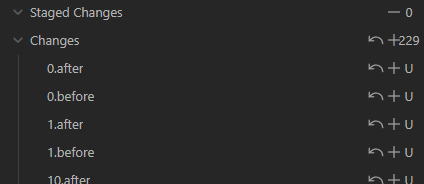
1 pattern match + 2 history files + 1 data.json. Then 75 frontmatter "fixes" + 150 history files.
[!BUG] Issue It looks like "Regex rename" triggers "Clean front matter formatting" and also saves those files to history (unlike in the other cases)?
The data.json contained:
  "operationHistory": [
    {
      "id": "c6e2d349-b46d-4265-a740-068e10e4436e",
      "timestamp": 1781830468102,
      "type": "pattern",
      "description": "Pattern: /^wip/(.*)$/ → todo/$1",
      "changes": [],
      "useExternalStorage": true,
      "useExternalManifest": true
    }
  ],
[!INFO] changes reverted
Aliases
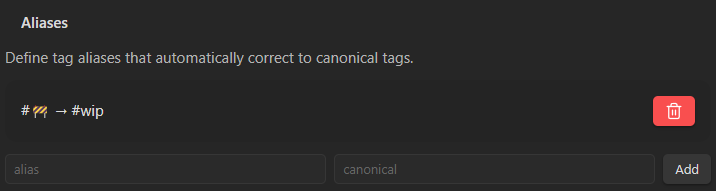
Works for me.